

Poultry
Find every farm.
Navigate every trip.
The internal Android app for Multiquip — a searchable directory of every poultry farm we work with, with turn-by-turn navigation built for both the crew truck and prime movers.
"Dedicated to the poultry industry."
Android 8.0+ · For Multiquip team members only · Not on Play Store
- ›Ashfield Farm 12Cobbitty NSW
- ›Bell's Creek Shed 4Camden NSW
- ›Casuarina RangeTamworth NSW
- ›Dunheved BlockPenrith NSW
- ›Eagles Reach Site BBilpin NSW
Every poultry farm, in your pocket.
Multiquip Poultry is a Farm Management app for the field. Sign in, find the farm you need, read the latest notes from the office, get turn-by-turn navigation that knows the difference between a crew truck and a prime mover, and flag anything you hit on the road so the next team isn't caught out.
A searchable directory of every site.
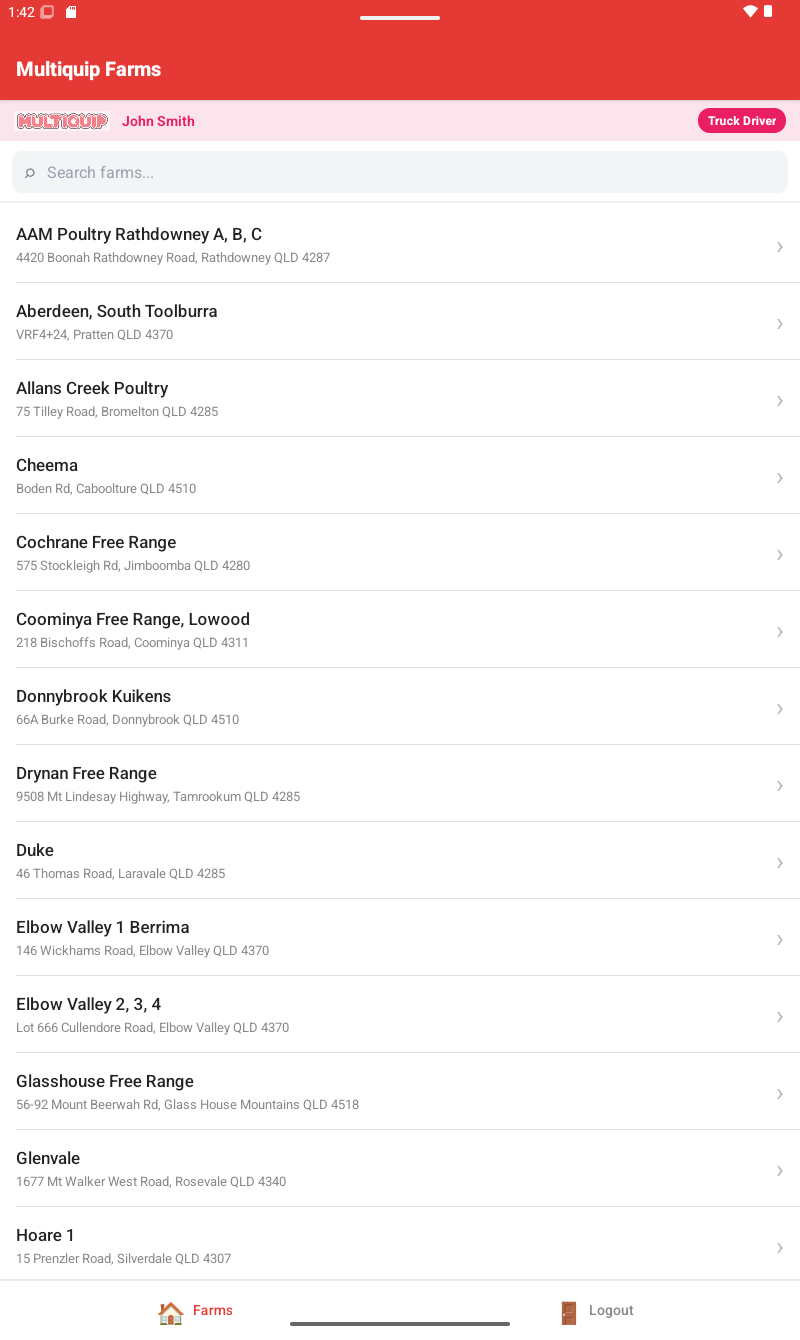
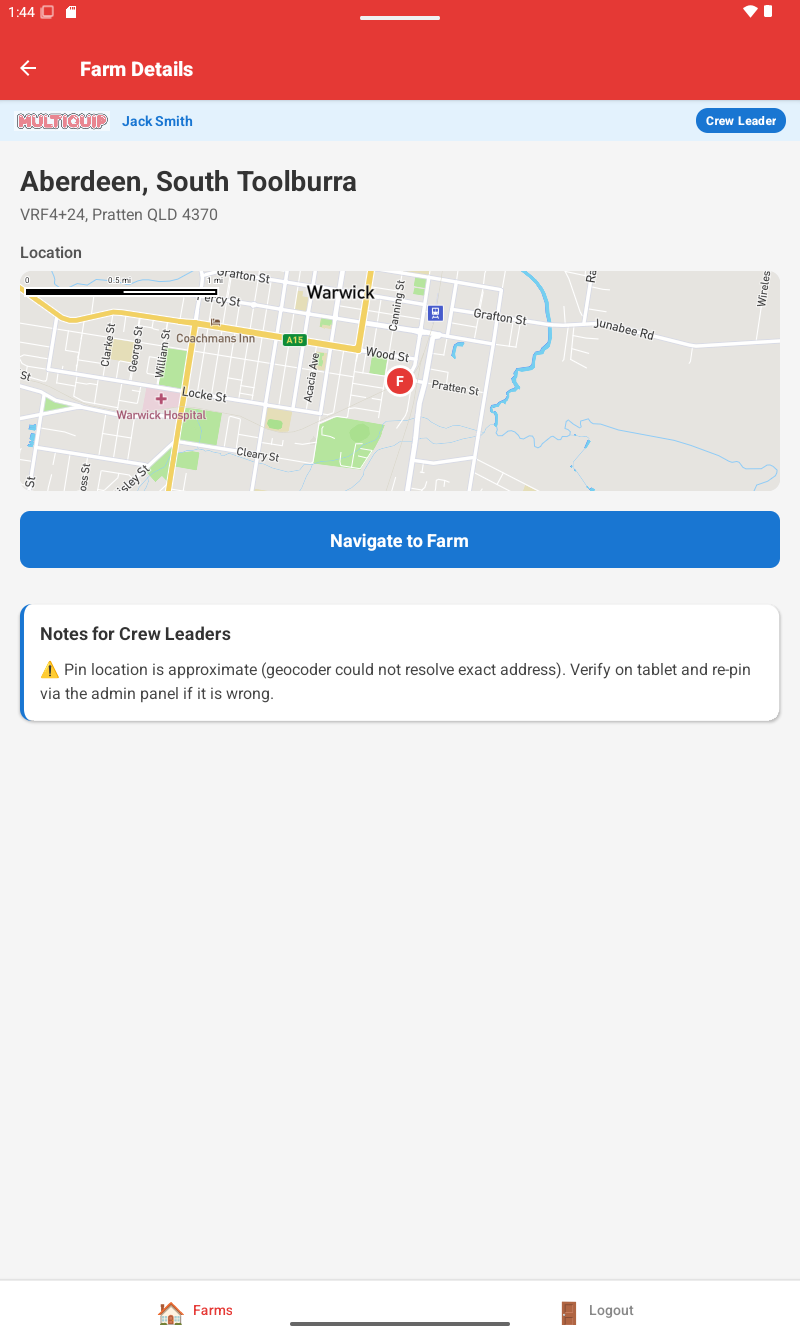
Name, address, photo, GPS location, an interactive map preview, and notes — one screen per farm. Search by name or address as you type.
Crew route or truck route — same farm, the right way.
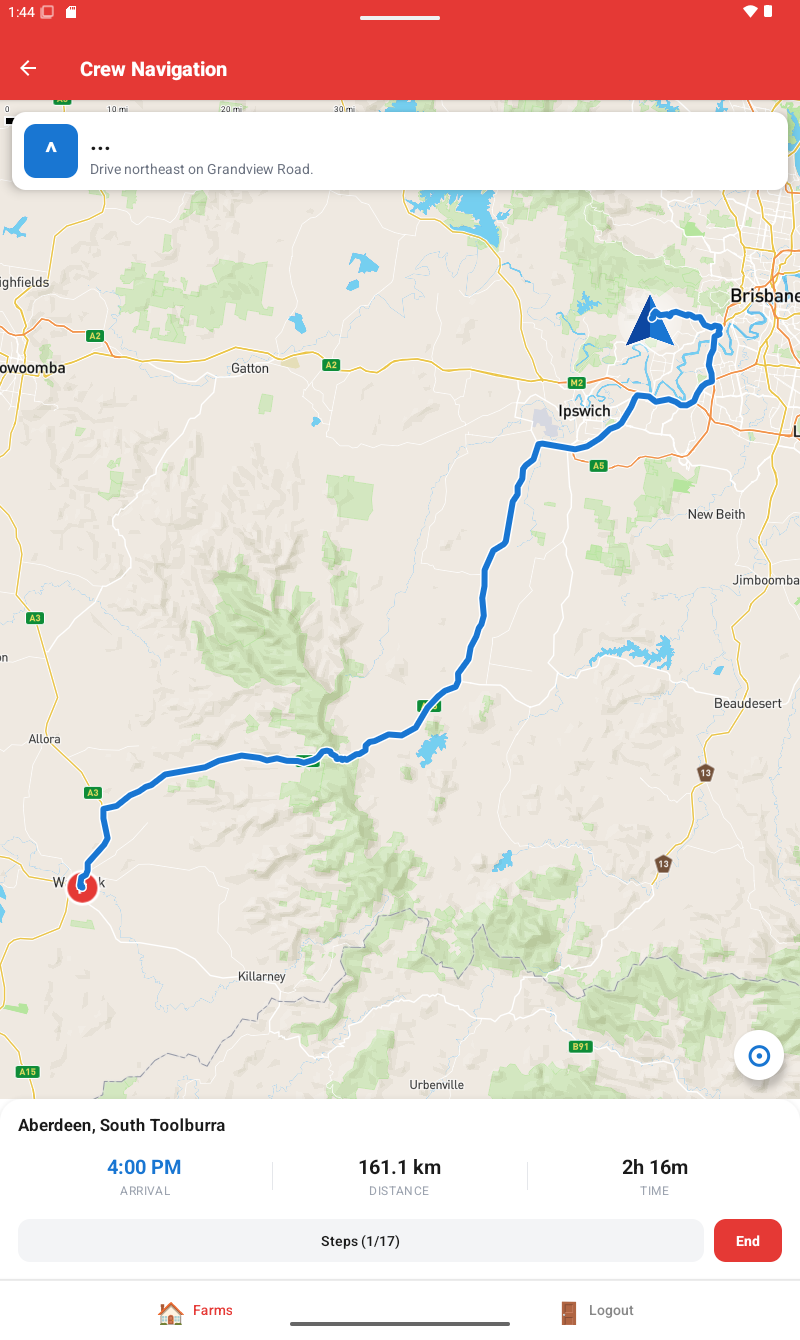
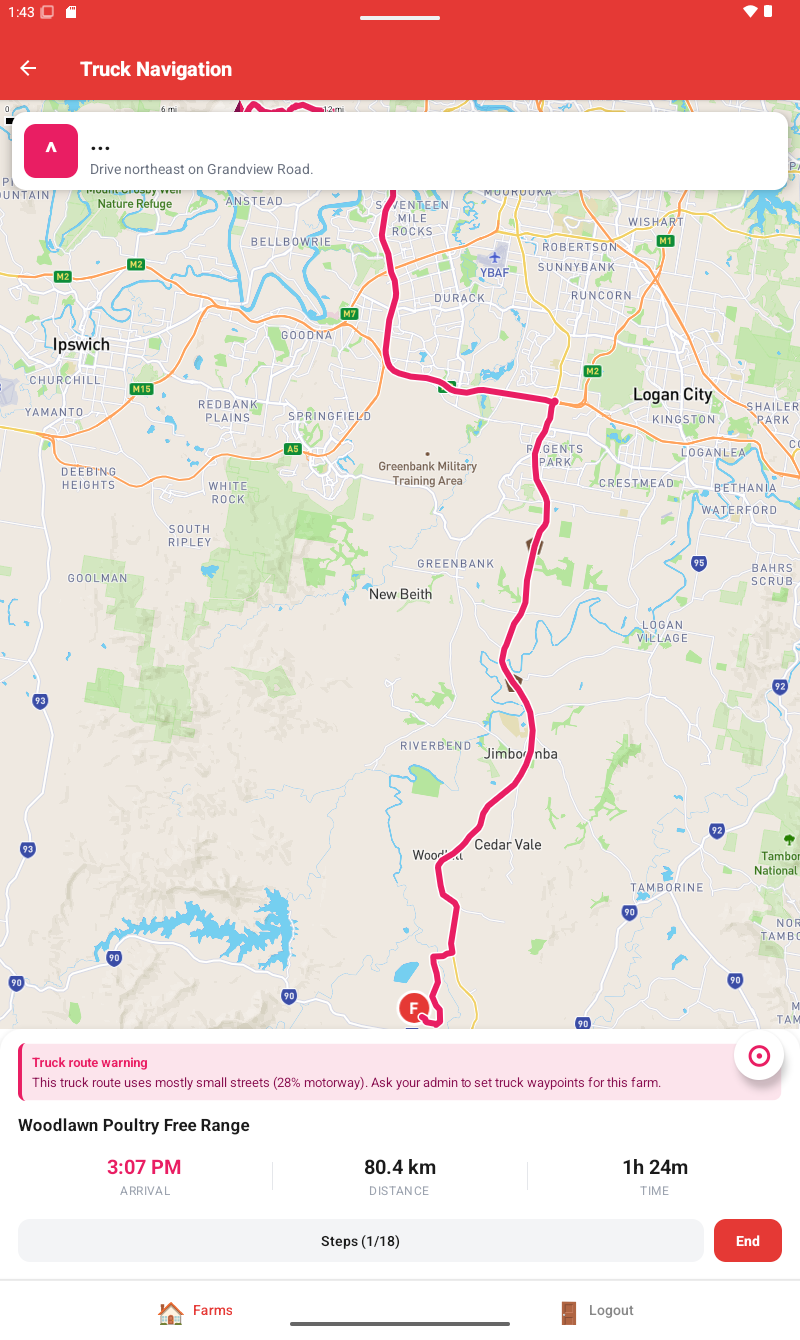
Crew leaders get the fastest route. Truck drivers get a route that prefers motorways, avoids unpaved roads and follows admin-set waypoints when a farm has a tricky approach. Live Australian-English voice guidance, off-route recalculation, the lot.
A shared feed for what's going on out there.
Parking blocked, road hazard, farm access issue — any team member can post with a photo and either tag the farm or drop a GPS pin. Drivers can post mid-trip from a quick sheet without leaving the route. Mark resolved when it's sorted.
Three roles. One app.
The app knows who you are and gives you the right tools. Your role colour shows up everywhere — the badge, the map line, the route arrow — so there's never any doubt which view you're looking at.
Runs the show.
- › Add, edit and remove farms
- › Create user accounts & assign roles
- › Pin farm GPS on the map picker
- › Set truck waypoints per farm
- › Edit notes for both crew & drivers
- › Toggle Crew/Truck route mid-trip
- › Moderate the reports feed — resolve or delete any post
Out with the team.
- › Browse and search every farm
- › Read notes written for crew leaders
- › Tap "Navigate" → fastest route
- › Blue route line, blue arrow puck
- › Voice guidance in Australian English
- › File field reports — photo, location, farm tag
In the cab.
- › Truck-aware routing by default
- › Motorway-first, no unpaved or ferries
- › Follows admin-set waypoints
- › Magenta route line — distinct from traffic
- › Notes written for drivers, not crew
- › Warning if the route is too back-road
- › Quick report from the cab — slide-up, GPS pre-filled
Built around how the job actually runs.
Every feature here exists because someone on a farm or in a cab needed it.
Two routes per farm. Same destination, the right way.
Crew Leaders get the fastest route. Truck Drivers get a route that prefers motorways, excludes unpaved segments, and follows admin-set waypoints. Admins can flip between modes mid-trip.
Voice guidance, en-AU
"In 500 metres, turn left." Spoken in Australian English at 500 m, 200 m, 50 m, and on arrival.
Two notes, one farm.
Each farm carries two separate note channels — one for crew, one for drivers — so the right hands see the right brief. Every edit is signed and dated.
Park at the second gate — gravel pad fits 6 utes.
edited by Admin · 14 May
A live feed of what's happening on the ground.
Anyone on the team can flag what they hit — parking blocked, road hazard, farm access, anything else — with a photo, a GPS pin, and a tag to the farm if relevant. Everyone sees it. Mark resolved when it's sorted.
Storm last night dropped a gum across the back gate. Coming in from the main entrance instead.
One tap from the cab
Slide-up sheet right on the Navigation screen. GPS auto-fills location, current farm gets attached automatically, route and voice keep running underneath.
Truck waypoints, set once by an admin.
Some farms need the truck to come in the back way — narrow gates, low bridges, gravel pads on the wrong side of the shed. Admins drop waypoints on a map for those farms once, and the routing engine threads them in for every trip from then on.
Set once. Every truck driver who navigates here from now on follows this path automatically.
Survives bad signal
Off-route > 150 m auto-recalculates. Trip state persists across crashes — open the app and tap Resume. Patchy 4G no longer signs drivers out.
Built for the cab
3D heading-up camera at 50° pitch, premium-style arrow puck, screen-keep-awake native module, a recenter button if you pan away. End-trip confirm so no one logs out mid-drive.
A quick look around.
Real screenshots from the working app.
On your Android device in under a minute.
Multiquip Poultry is distributed as an Android APK — straight from this site, no Play Store, no waiting.
- 01 Open multiquip.app on your Android phone.
- 02 Tap Download APK.
- 03 If prompted, allow your browser to install unknown apps, then tap Install.
- 04 Open the app, sign in, and you'll land on your role's view.
First time? Ask your admin to create your account. New users can't self-register.
For Multiquip team members only · iOS not supported